

How to Add an External Company to Your Meta Account
Google Search Console is a free tool from Google that shows you how your business appears in Google Search. For social media agencies and businesses, connecting Instagram can give you more insight into how your Instagram content is being discovered through Google.
Here’s how to set it up.
How to Connect Instagram
1. Open Google Search Console
Go to search.google.com/search-console and sign in with your Google account.
2. Add Instagram
Open the property dropdown in the top-left corner and select Add property.
Choose Instagram from the available social channel options.
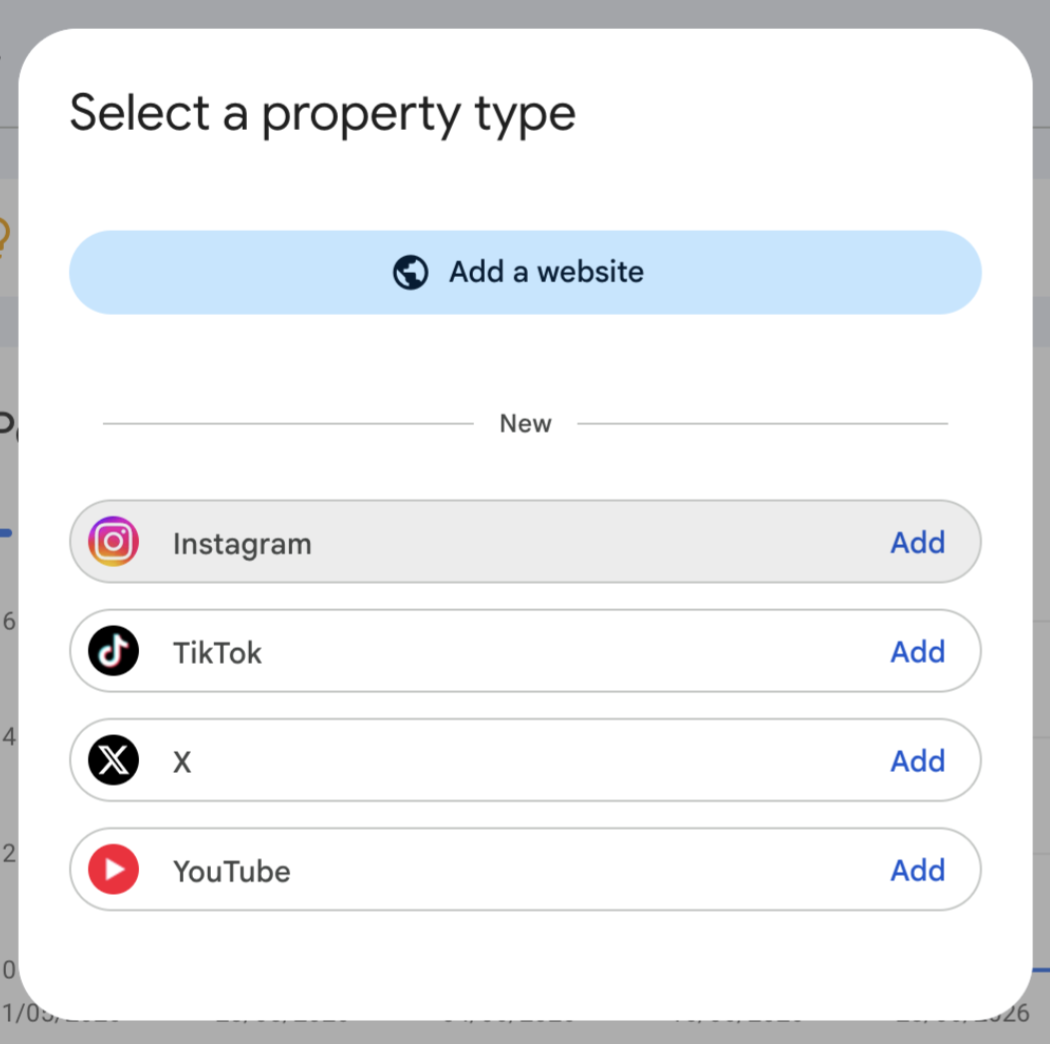
3. Select Your Instagram Account
Choose the Instagram profile you want to connect.
Make sure you select the correct business account, particularly if you manage multiple Instagram profiles.
4. Verify Your Account
Sign in to Instagram when prompted and authorise the connection.
This allows Google to confirm that you have access to the account.
5. You’re Connected
Once verified, click Go to property.
Google will begin collecting available search data for your Instagram account. It may take a few days before you start seeing information.
How to Connect Your Website
You can also connect your website to Search Console to see how it performs in Google Search.
1. Click Add Property
Inside Search Console, open the property dropdown and select Add property.
2. Enter Your Website
Google will give you two options:
Domain - Covers your entire website and any subdomains. You’ll need access to your domain settings.
URL Prefix - Covers the specific website URL you enter and can be easier to set up.
3. Verify Your Website
Follow Google's verification instructions.
If you use Shopify, WordPress, Wix, Squarespace, Kajabi, or another website platform, you can usually follow their instructions to complete the verification.
4. Click Verify
Once verified, Google will start collecting search data for your website.
Why Connect Both?
Connecting your Instagram and website gives us a clearer picture of how people are finding your business through Google, not just through social media. It helps us see what content is being discovered, what people are searching for, and where there may be opportunities to improve your content and increase your visibility.
Having both connected also gives your agency better insight into how your social media and website are working together, helping them make more informed decisions when planning your content and overall social strategy.
It’s worth noting: Google is gradually rolling out the option to connect social channels. If you don’t see Instagram as an option yet, check back in Google Search Console at a later date.